Suggestion what to look for?
| Subject | : | Wireless LAN Monitor and xcenter |
| Author | : | Kim |
| Date | : | 30 Jan, 2005 on 23:27 |
| When using the wifi lan monitor together with ecenter/xcenter isn't supposed to get an icon (widget) within the xcenter? I tried and tried but haven't managed to get it to autostart (except when using as a plain exe file). Also it seems sometimes that when I execute the exe it kind of hangs the the applications and there is no way in hell that I can kick it alive also as for now I have no wps image so I can play around with the settings so kind of stuck with that I can only start it once (kill it via window list).
Suggestion what to look for? |
| Subject | : | Re:Wireless LAN Monitor and xcenter |
| Author | : | warp4ever frank@kalf.tk |
| Date | : | 31 Jan, 2005 on 01:54 |
| Is your xwlan.dll in : c:\ecs\system\ewps\plugins\xcenter directory ?? That would normally do the trick to add this widget to the ecenter. |
| Subject | : | Re:Wireless LAN Monitor and xcenter |
| Author | : | davidfor |
| Date | : | 31 Jan, 2005 on 01:57 |
| I haven't looked at that widget before because I don't have a wireless card. But, I've just installed it and it went OK. Of course, it didn't report a card, but, it did show the expected icon for this. Looking at the info for it, there seems to be a major step missing in the installation instructions. After running the installation script, it doesn't say to add a widget to the XCenter! Did you do this? If not, that's the reason the icon is not showing. If you have done this and it doesn't show, then, open the properties for the XCenter, and go to the "Widgets" page. Is there an entry for "XWLANMonitorWidget"? If so, closing the XCenter (and it's properties) and opening it again should show the icon. If this doesn't work, then check that all the files for the widget have been installed. They should be in the "plugins\xcenter" directory of you XWorkplace installation. And they should mirror the files and directories in the "xcentor" directory where you unzipped the widget. Hopefully, the above will point to a solution. If not, post what has happened, and we'll try again.
|
| Subject | : | Re:Wireless LAN Monitor and xcenter |
| Author | : | Kim |
| Date | : | 31 Jan, 2005 on 12:11 |
Yes, everything seems to be in that directory as follows: Directory of C:\ecs\system\ewps\plugins\xcenter 1-28-05 6:38p <DIR> 0 ---- . |
| Subject | : | Re:Wireless LAN Monitor and xcenter |
| Author | : | Kim |
| Date | : | 31 Jan, 2005 on 12:21 |
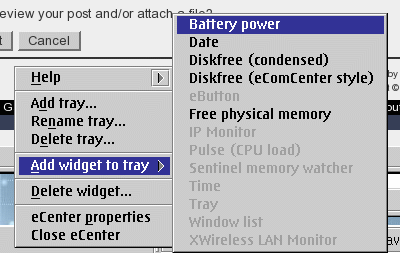
Well, the closest I've been to add a widget is by right clicking on the ecenter; check the image here:
Well, the is no trace of the wifi widget within the widget page... and the files matches the unzipped widget structure... odd isn't it |
| Subject | : | Re:Wireless LAN Monitor and xcenter |
| Author | : | Stuart srtgray@clara.net |
| Date | : | 31 Jan, 2005 on 13:42 |
| You have to RMB click <i>between/i two other widgets and select Create New Widget - rather than add widget to tray. Then it can be done! Stuart |
| Subject | : | Re:Wireless LAN Monitor and xcenter |
| Author | : | Kim |
| Date | : | 31 Jan, 2005 on 14:19 |
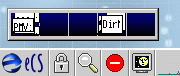
Okey, here is how it ended up.... asume that this would indicate that something is really wrong 
I've also tried to close down the ecenter and restart it, same result... |
| Subject | : | Re:Wireless LAN Monitor and xcenter |
| Author | : | Kim |
| Date | : | 31 Jan, 2005 on 14:23 |
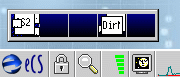
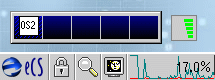
| Aha... here goes... well, I had the wifi lan monitor already started, due the reason that the wifi lan would come up and running, until that I started wifi monitor myself... so no everything runs as it should.. Wooho!
|
| Subject | : | Re:Wireless LAN Monitor and xcenter |
| Author | : | warp4ever frank@kalf.tk |
| Date | : | 03 Feb, 2005 on 03:57 |
| OFF TOPIC : How does one get the images into the posted message ?? |
| Subject | : | Re:Wireless LAN Monitor and xcenter |
| Author | : | Kim |
| Date | : | 03 Feb, 2005 on 09:54 |
Well, I've added how to do this to the faq, so check this thread. |